



Quick Answer
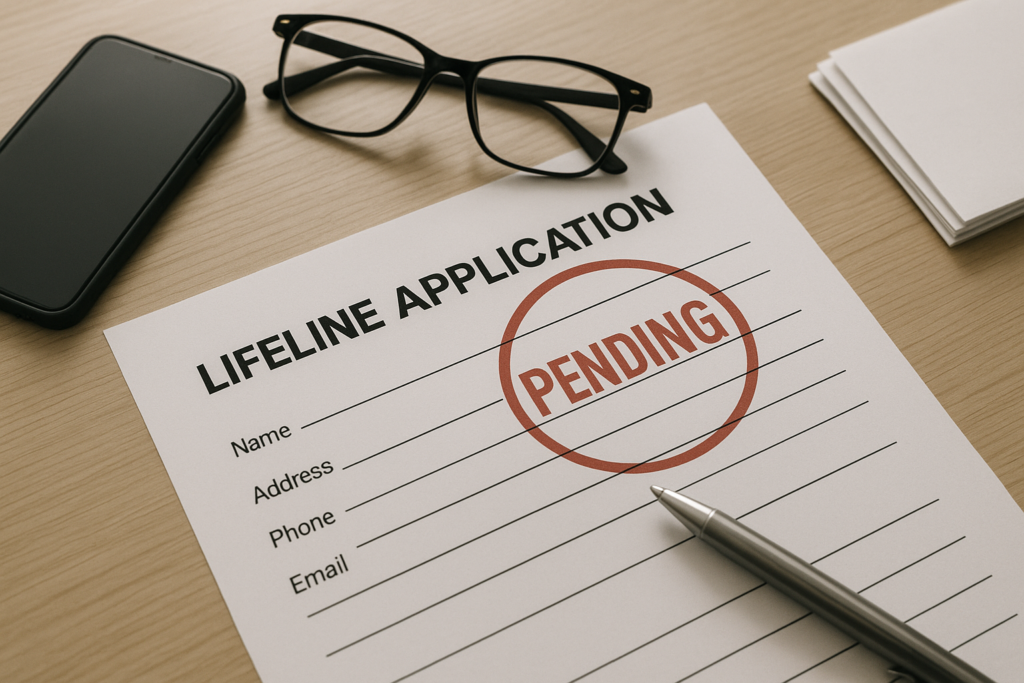
When your Lifeline application shows “Pending,” it means the National Verifier (run by USAC), your state administrator, or your provider is still reviewing your information or waiting on documents. You haven’t been approved or enrolled yet, so the discount can’t start. Most pending cases clear quickly once you submit legible proof of identity, address, and eligibility. Reviews often finish within a few business days after you upload documents, though manual checks can take longer. Watch your email and texts for requests, and respond promptly so your application doesn’t expire.
What “Application Pending” Means in Lifeline
Lifeline is a federal program that lowers the monthly cost of phone or internet service for eligible households. “Application Pending” means your request is in review and no final decision has been made. Where you see the message helps explain why it’s pending:
- National Verifier (USAC): Your information is being matched against federal and state databases, or your uploaded documents are waiting for manual review.
- Your phone or internet company: The provider hasn’t been able to enroll you in the National Lifeline Accountability Database (NLAD) yet—either because you’re not marked “Qualified” in the National Verifier or a benefit transfer is still processing.
- State-run platforms (for example, California LifeLine): A state administrator is verifying your details, sometimes alongside the federal review, which can create overlapping “Pending” notices.
While your status is pending, you’re not enrolled and won’t receive the monthly discount. Some companies may start service before approval, but the Lifeline credit only applies after you’ve been approved and successfully enrolled in NLAD.
How long the pending status usually lasts
Timing depends on whether your information auto-matches or needs manual verification:
- Instant to 1 business day: If your details match database records, approval can be near-instant.
- 3–7 business days: Most document reviews finish within a week after you upload everything clearly.
- Up to 2–3 weeks: Identity mismatches, address problems, duplicate-benefit checks, or Tribal residency verification can take longer.
- Expiration risk: If you don’t supply requested documents within the stated window (commonly 45 days), your application may expire and you’ll need to reapply.
Common Reasons Your Lifeline Application Is Pending
Most delays trace to a short list of issues. Here’s what they mean and how to resolve them:
- Identity verification mismatch: Your name, date of birth, or last four digits of your Social Security Number (or Tribal ID) don’t match agency records.
What to do: Use your full legal name (no nicknames), your correct DOB, and the exact SSN4 tied to your government ID. If prompted, upload a clear photo of a valid ID. - Address can’t be validated: The address doesn’t match USPS standards, looks commercial, or more than one applicant appears to be at the same address.
What to do: Enter your address exactly as USPS formats it, including unit or apartment numbers. If multiple households share the same address (apartments, shelters, nursing homes), complete the Household Worksheet to confirm only one Lifeline benefit per household. - Eligibility proof needed: The system couldn’t confirm participation in a qualifying program (SNAP, Medicaid, SSI, Federal Public Housing Assistance, Veterans Pension/Survivors Benefit, or qualifying Tribal programs) or your income-based eligibility.
What to do: Upload an official benefits letter showing your name, the program name, the issuing agency, and a date within the current or most recent benefits period. For income-based eligibility, submit last year’s tax return, a Social Security or unemployment benefits statement, or three consecutive recent pay stubs. - Duplicate benefit flag: Lifeline is limited to one discount per household. If the system sees a current benefit at your address, it puts your application on hold.
What to do: If you live with other adults who are financially independent (for example, separate tax filers), submit the Household Worksheet to show you are a separate household. - Benefit transfer in progress: You’re switching providers and NLAD is processing the transfer.
What to do: Confirm both providers have the exact same personal details on file. Most transfers complete within 1–2 business days once checks pass. - Tribal benefit verification: Applications requesting the enhanced Tribal benefit require proof of residence on qualifying Tribal lands and program or income eligibility.
What to do: Upload documentation showing your name and an address on qualifying Tribal lands along with additional eligibility proof (for example, Tribal TANF, Bureau of Indian Affairs General Assistance, or income documentation).
Exactly What to Do While Your Application Is Pending
- Check your status in the National Verifier portal. Look for specific prompts such as “Provide Identity Document” or “Address Validation Needed.”
- Open every email or text from Lifeline, your state administrator, or your provider. These often include links to complete tasks or upload documents.
- Match your information exactly. Use your full legal name and enter your address exactly as USPS formats it, including unit numbers. Re-enter your SSN4 or Tribal ID carefully.
- Upload clear, readable documents. Use color images if possible, avoid glare and shadows, include all four corners, and don’t crop out headers, signatures, or dates.
- Complete the Household Worksheet if prompted. It quickly resolves most duplicate household/address flags.
- Ask your chosen provider to check NLAD. If the National Verifier shows you as “Qualified” but the provider still sees “Pending,” they may need to finalize enrollment or refresh their systems.
- Call the Lifeline Support Center at 800-234-9473 if your status hasn’t changed after a week with all documents submitted. They can confirm what’s missing and open a support ticket if needed.
Documents That Resolve Most Pending Cases
Submit documents that are current, legible, and include all required details. Commonly accepted documents include:
- Identity (one of): State or Tribal ID, U.S. driver’s license, U.S. passport, military ID, government-issued immigration document, or a birth certificate (you may still need SSN4 proof).
- Address (one of): Utility bill, lease or mortgage statement, recent government benefits letter listing your address, a recent tax document, or official mail from a government agency. If you have no fixed address, a temporary or shelter address can be used; be prepared to confirm location details if asked.
- Program eligibility (one of): Approval/benefit letter for SNAP, Medicaid, SSI, Federal Public Housing Assistance, Veterans Pension/Survivors Benefit, or a qualifying Tribal program. The document must show your name, the program name, the issuing agency, and a recent date or coverage period.
- Income eligibility (one of): Prior year’s state or federal tax return, three consecutive recent pay stubs, Social Security benefits statement, unemployment benefits statement, or other official proof that shows total household income.
- Tribal residency (if claiming Tribal benefit): A document showing your name and an address on qualifying Tribal lands.
Tips that speed reviews:
- Combine multi-page letters into a single PDF if the system allows; otherwise, upload all pages separately in the correct order.
- Make sure dates are visible and within the current or most recent benefits period.
- Use the same legal name across all documents; if you recently changed your name, include proof (for example, a marriage certificate or court order).
How to Check Your Status and Get Updates
The fastest way to track progress is the National Verifier consumer portal you used to apply. You’ll also receive email or text alerts when action is needed or a decision is made. If you applied through a provider or a state program, that portal may show intermediate statuses. When in doubt, contact:
- Your chosen phone or internet company’s Lifeline support team for enrollment and transfer updates.
- The Lifeline Support Center at 800-234-9473 for National Verifier issues, document requirements, or expiration questions.
- Your state Lifeline administrator (for example, California LifeLine) if your application is tracked in a state-specific system.
After Approval: Next Steps and Deadlines
Approval isn’t the final step. To begin receiving the discount, you must select a participating phone or internet provider and complete enrollment. In most cases, you have 90 days from approval to enroll with a provider or your approval may lapse and you’ll need to reapply. Once your provider completes NLAD enrollment, the discount appears on your bill or plan. Keep these points in mind:
- You can apply the discount to qualifying phone or broadband service (many plans bundle both). The standard federal discount is up to $9.25 per month, or up to $34.25 on qualifying Tribal lands. Some states add extra support.
- You must recertify each year to keep the benefit. Watch for recertification notices and respond by the deadline to avoid de-enrollment.
- If you move, update your address with your provider and, if prompted, in the National Verifier. Not updating addresses can cause recertification problems or service interruptions.
- If your eligibility changes (for example, you no longer participate in a qualifying program), notify your provider promptly to avoid repayment issues.
Special Cases and State Differences
Most states use the federal National Verifier, but a few situations work differently:
- California LifeLine: California runs its own state program with distinct application numbers, portals, and timelines. You may see “Pending” in California’s portal even after the federal portion is complete. Follow California LifeLine instructions and deadlines to avoid expiration.
- Households without a traditional address: Applicants in shelters, group living, or remote areas can often use descriptive or temporary addresses. The program may request additional location details. Completing the Household Worksheet is common when multiple people share a location.
- U.S. territories and Tribal lands: Documentation requirements can vary slightly, especially for proof of Tribal residency. Submit the most specific, recent documents available.
- Recent ACP changes: The Affordable Connectivity Program’s wind-down did not end Lifeline. Lifeline remains active with separate eligibility and rules. If you previously relied on ACP, you must qualify for Lifeline to receive the Lifeline discount.
Avoiding Delays Next Time
A little preparation prevents most pending or denial issues:
- Confirm eligibility in advance—either through a qualifying program or by meeting income limits for your household size.
- Use your exact legal name everywhere, matching your government ID and benefits paperwork.
- Format your address to USPS standards and always include apartment or unit numbers.
- Gather clear, recent documents that show your name, program name, issuing agency, and date or coverage period.
- Respond to any document requests within the stated window (commonly 45 days).
- Keep copies of all submissions and note your application number for reference.
Status Guide: What It Means and What To Do
| Status you might see | What it means | What to do next |
|---|---|---|
| Pending | Your information is under review; no decision yet. | Monitor the portal, and be ready to upload documents if requested. |
| Pending Documents / Action Needed | The reviewer needs identity, address, or eligibility proof. | Upload clear, complete documents that include your name, the relevant program, the issuing agency, and a recent date or coverage period. |
| Qualified / Approved | You passed verification and can enroll with a provider. | Select a participating company and complete enrollment within 90 days so your discount can start. |
| Denied / Not Eligible | Your information didn’t meet eligibility or couldn’t be verified. | Review the reason. If you have better documents or corrected info, reapply. If you believe it’s an error, contact the Support Center. |
| Incomplete / Expired | Your document window passed or key information is missing. | Start a new application with all required documents ready to upload. |
| Benefit Transfer Pending | You’re switching providers and NLAD is processing the transfer. | Confirm your details match exactly across both providers; transfers typically finalize in 1–2 business days. |
Frequently Asked Questions
How long does Lifeline approval take when my status is pending?
Most document-based reviews finish within 3–7 business days after you upload everything. Identity or address mismatches can extend the process to 2–3 weeks. If it’s been more than a week with no update, call the Lifeline Support Center at 800-234-9473 to confirm what’s missing.
Can I get service while my application is pending?
You won’t receive the Lifeline discount until you’re approved and enrolled in NLAD. Some providers may let you start service while you wait, but the discount applies only after final approval and enrollment. Ask your provider how they handle pending applications so you’re not surprised by initial charges.
What if my application stays pending for over 30 days?
Log in to the National Verifier portal to check for action requests. Make sure all required documents are uploaded, legible, and current. If everything looks complete and you’ve waited at least a week, contact the Lifeline Support Center and your chosen provider to ensure there isn’t a benefit transfer or duplicate-household issue blocking approval.
What does “duplicate address or household” mean?
Lifeline allows only one discount per household. If someone at your address already receives it, the system flags your application. If there are separate households under one roof (for example, separate finances and separate tax filings in a shared apartment), complete the Household Worksheet to show you qualify as a distinct household.
Do I need to reapply if I move to a new address?
You don’t need to reapply just for an address change, but you must update your address with your provider and, if prompted, in the National Verifier. Not updating your address can cause recertification issues or service interruptions. If your move changes your household composition, you may be asked to complete a new Household Worksheet.
Is Lifeline still available even though ACP ended?
Yes. The Affordable Connectivity Program’s wind-down did not end Lifeline. Lifeline is a separate, ongoing federal program with its own eligibility rules and discounts. If you previously had ACP, you still need to be approved for Lifeline to receive the Lifeline discount.
Who can fix it if my provider says I’m pending but the National Verifier shows approved?
Ask your provider to complete or refresh your NLAD enrollment using the exact information on your National Verifier approval. If the mismatch persists, contact the Lifeline Support Center to confirm the approval details and, if needed, open a support ticket so your provider can finish enrollment.

